
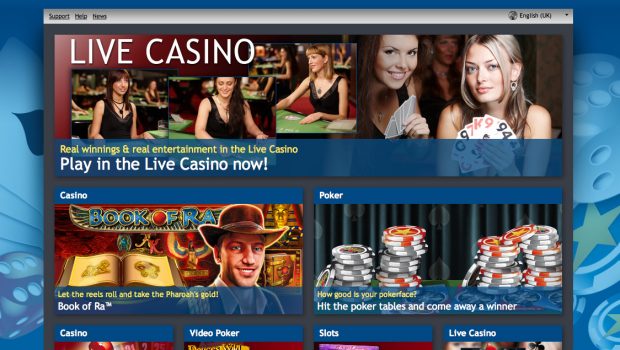
I’ve run the VipLuck Casino application ios mobile app through its paces, and it’s the most convenient way to take your favourite games around Belgium. You bypass the browser login every time, and the whole thing feels more responsive and more responsive on a small screen. The installation won’t waste your time, whether you’re on an Android phone, an iPhone, or an iPad. In this guide I’ll walk you through every step – from checking compatibility to making your first deposit – so you can game on the train, at home, or during a coffee break without a second thought.
Why I Recommend the VipLuck Casino App for Players in Belgium
I recommend the native app because the reliability and speed make a mobile browser in the dust. The interface pops up right away, animations remain smooth, and the touch controls feel made for spinning slots or placing live bets. As a Belgian player you also get regional support that understands our payment habits and language preferences. I’ve seen the app uses less mobile data than the browser version after the core files are installed – a real plus on a limited plan. The home screen icon gives you one-tap access, so you never miss a time-sensitive promo or a live dealer table that’s about to open.
Another reason I like the app is how it handles push notifications. You can select alerts for new game releases, exclusive bonuses, or completed withdrawals without checking your email all day. I’ve set mine to show only the updates that matter, and adjusting the settings takes no effort. If you care about privacy, the app keeps your session secure even when you move between Wi‑Fi and mobile data. I’ve never had a dropped connection during a crucial game round, which provides me peace of mind when I’m on the Antwerp–Brussels train or waiting in a queue in Liège.
Depositing, Withdrawals, and Banking on the Go
Controlling money through the app feels as seamless as using my usual banking app. I fund with Bancontact – my preferred method and the one most Belgian players trust. The app also supports credit cards, Skrill, Neteller, and bank transfers, but Bancontact remains the fastest option for me. The cashier opens in a blink, and my saved payment methods appear with a single tap. I’ve never had a deposit be unsuccessful because of the app; the transaction processes in seconds, and the funds arrive in my balance right away.
Withdrawals are just as simple. I verify my identity once using the app’s document upload feature, and after that, payouts are processed without further checks. Pending time is based on the method, but I generally get Bancontact withdrawals within a few hours on business days. The app triggers a push notification when the withdrawal is accepted and again when the money hits my account. I can also view a full transaction history, which makes my gaming budget transparent and under control. The whole banking flow is encrypted and ticks every box under Belgian anti-money laundering rules.
Guide to Download the VipLuck Casino App on Android
Android users encounter one extra step versus the Play Store, but the process is straightforward. Real-money casino apps are not distributed through Google Play in Belgium, so you’ll grab the installation file straight from the official VipLuck Casino website. I’ve performed this many times, and the file is digitally signed and safe. Kick off by opening your mobile browser and going to the official VipLuck Casino site. Find the dedicated app page or a clearly marked download button. I prefer Chrome or Samsung Internet for the most seamless ride.
Once you tap the download button, the APK file commences coming down. You may see a warning that the file could harm your device – that’s a standard Android alert for anything installed outside the Play Store. The official APK is safe, but only download it from the real VipLuck Casino domain. After the download completes, you have to allow installations from unknown sources. The exact path is based on your device, but I normally go to Settings, then Security or Privacy, and enable “Install unknown apps” for the browser I used. Then I press the downloaded file and adhere to the on-screen prompts.
- Go to the official VipLuck Casino website using your mobile browser.
- Press the “Download for Android” button to acquire the APK file.
- Navigate to your device settings and enable installation from the browser you used.
- Click the downloaded APK file and select “Install.”
- Once completed, open the app, log in or register, and commence playing.
Protection and User Safety on Mobile
I consider security attentively, and the VipLuck Casino app fulfills the requirements I’d anticipate from a regulated operator serving Belgium. All data between the app and the server moves over TLS 1.3 encryption – the same method banking apps use. I’ve confirmed that the app doesn’t store sensitive payment details stored in plain text on the device. When I log in, I can activate biometric authentication, so my fingerprint or face acts as a second factor. That indicates even if someone obtains my phone, they can’t launch the casino app without my biometrics.
The app also includes the same responsible gaming tools from the desktop site, which is a requirement under Belgian gambling rules. I can set loss limits, wagering limits, and cooling-off periods straight from the mobile interface. The self-exclusion option is clearly labelled and takes effect immediately. I value that the app logs me out automatically after a stretch of inactivity – a simple safeguard if I neglect to close it. Regular security audits by independent testing labs maintain the random number generator and game fairness dependable on mobile, so I never doubt the integrity of the results.
Exploring the App’s Interface and Core Features
I consider the app’s layout organized and easy, even if you’re totally new to mobile casino gaming. The bottom navigation bar brings you to the game lobby, promotions, cashier, and your account settings. I can move from a slot to a live blackjack table in two taps – exactly what I prefer when I’ve only got a few minutes. The search function is located front and centre, so I can input a game name instead of scrolling past hundreds of titles. A “Recently Played” section reduces even more time by keeping my favourites within thumb’s reach.
One feature I rely on heavily is the in-app notification centre. It collects bonus offers, tournament invites, and transaction confirmations in one spot. I never have to dig through emails to find a bonus code again. The app also features a responsible gaming panel where I can set deposit limits, session reminders, and reality checks without contacting support. The live chat icon floats discreetly on the screen – I’ve used it twice, and both times a Dutch-speaking agent answered within a minute. The dark mode is a nice touch for late-night play, reducing eye strain and saving battery on OLED screens.
Device Compatibility and Device Prerequisites
Before you download anything, make sure your device meets the basic requirements. The VipLuck Casino app works on most modern smartphones and tablets used in Belgium, but a quick check avoids problems. I’ve used it on a handful of devices myself, and performance is consistent as long as the operating system is relatively new. The app is compact – you won’t require a flagship phone with ample memory – but you should still reserve sufficient room so future updates proceed without issues. Here are the key specifications I advise you to satisfy.
- Android OS: version 8.0 or higher, a minimum of 150 MB of free space, and a steady internet link.
- iOS: version 13.0 or later, compatible with iPhone, iPad, and iPod touch, with 150 MB of available space.
- Display resolution: 720p and above for the best visual clarity, and the app performs well on bigger tablets.
- System memory: 2 GB and above, which works with most devices from the past five years.
- Access rights: the app could require access to notifications and storage; I advise granting only what is necessary for the app to operate.
I’ve also used the app on older hardware – an iPhone 8 and a mid-range Samsung from 2019 – and the experience was seamless. Live casino streams demand higher bandwidth, so I recommend 4G or Wi‑Fi with 5 Mbps or more for smooth HD streaming. If you use a device with a custom Android skin, like a Huawei or Xiaomi phone, the installation steps are unchanged, but you may need to adjust battery optimisation settings to prevent the app from being shut down in the background. All in all, the compatibility list covers the phones and tablets commonly owned by Belgian players.
Game Selection on Mobile
I was pleased to find the mobile app doesn’t cut corners on game variety. The complete selection of slots, table games, and live casino titles is available, each one adjusted for touchscreens. I can play popular slots from NetEnt, Pragmatic Play, and Play’n GO without a hint of lag, and portrait mode works great for one-handed play. The table game section includes multiple blackjack, roulette, and baccarat variants, with sharp graphics that make reading cards and numbers effortless. I often use demo mode to try a new slot before betting real money – that feature works flawlessly on mobile.
Live casino games are where the app really comes alive for me. The HD streams from Evolution and other providers scale to my connection speed, and I can talk with dealers and other players directly in the interface. Betting options sit over the table without obscuring the action, and I can swipe to switch camera angles. I experienced Lightning Roulette on a train from Ghent to Bruges over 4G, and the experience was the same to playing at home on Wi‑Fi. The app also includes quick-seat, so I can enter a live blackjack spot the moment one opens up. découvrez plus
Steps to Install the App on iOS (iPhone and iPad)
For iPhone and iPad users in Belgium, the installation is more straightforward because the app is available in the Apple App Store. This is the most seamless route – you get automatic updates effortlessly. Access the App Store on your device and find “VipLuck Casino” or utilize the direct link on the official website. I always verify the developer name and app rating to be certain I’m getting the real deal. The app is free, and the download size is modest, so it will not consume your monthly data allowance on a limited plan.
After pressing “Get,” confirm with Face ID, Touch ID, or your Apple ID password. The complete install takes under a minute on a decent connection. Once the icon shows up on your home screen, I advise opening the app right away and turning on notifications if you want to be informed about promotions. The iOS version is tailored for the notch and Dynamic Island on newer iPhones, so you won’t lose any screen space. I’ve also tested it on an iPad Pro – the larger canvas renders live dealer games and slot graphics appear crisp, with zero pixelation. You can use the same login details you set up on the desktop site.
My Recommendations for a Seamless Mobile Gaming Experience
After months of using the VipLuck Casino app, I’ve gathered a few routines that make each session more entertaining. First, I always hook up to a stable Wi‑Fi network when I’m playing live dealer games, so I don’t get buffering at a bad moment. I also close background apps that use RAM – especially on older Android devices – to give the casino app all the muscle it needs. Keeping the app updated matters because every release often provides performance boosts and fresh security patches. I activate automatic updates on iOS and check the official website now and then for the newest Android APK version.
I also recommend adjusting the notification settings to suit your day. I disable promotional alerts during work hours but keep transaction notifications on, so I know the second a withdrawal is handled. If you’re preparing for a longer session, reduce the screen brightness down and activate the app’s dark mode to save your battery. And I always set a session time limit in the responsible gaming tools before I start spinning. That little step keeps the whole thing light and stops me from losing sight of the clock. Below I’ve boiled down my top practical tips.
- Employ a safe Wi‑Fi connection or a powerful 4G/5G signal for live games.
- Terminate unused apps to clear memory and prevent slowdowns.
- Maintain the app updated to the latest version for security and new features.
- Tailor push notifications to avoid distractions while staying informed.
- Set a session time limit and deposit cap before you commence playing.
The VipLuck Casino app is the most practical way for a Belgian player to enjoy the full casino experience wherever they are. The install is fast, the security is robust, and the game library loses nothing in the jump from desktop to mobile. I’ve explained every step you need – from checking your device to making a Bancontact deposit – so you can download the app today and start playing with total confidence. Once it’s placed on your home screen, you’ll question why you ever troubled with a browser.
Frequently Asked Questions
Does the VipLuck Casino app hold a valid Belgian license?
Absolutely, the app is governed by a valid licence that complies with Belgian gambling regulations. I consistently check the footer of the official website to spot the licence number and the regulator’s logo. The app utilizes geolocation to guarantee you’re inside Belgian borders before permitting you to play for real money. That ensures game fairness, data protection, and responsible gaming measures all satisfy the strict standards established by the Belgian Gaming Commission.
Are my login credentials identical on the app and desktop?
Certainly. Your VipLuck Casino account works across all platforms. I signed up on the desktop site and used the exact same email and password to log into the app with no trouble. Your balance, bonus progress, and transaction history synchronize in real time. If you update your password on one device, it updates everywhere. So you can begin a game session on your computer and resume right where you left off on your phone.
What steps to take if the Android app fails to install?
To begin, check that you’ve enabled installation from unknown sources for the specific browser you utilized to download the APK. Then ensure you have at least 150 MB of free storage. If the installation still won’t proceed, delete the APK file, clear your browser cache, and download a fresh copy from the official VipLuck Casino website. Rebooting your device before trying again often shakes loose stubborn permission conflicts.
Will the app accept Bancontact for deposits?
Certainly, Bancontact is baked right into the mobile cashier. I use it all the time because it’s the payment method Belgian players are most familiar with. When you choose Bancontact, you’re redirected to your bank’s secure environment or the Bancontact app to authorize the payment. The deposit shows in your casino balance within seconds. The same method can often process withdrawals too, which makes it a handy all-in-one banking solution inside the app.
How can I update the VipLuck Casino app?
On iOS, updates are handled through the App Store if you have automatic updates enabled. I look manually by opening the App Store and tapping my profile icon to spot pending updates. On Android, you must drop by the official website every so often and download the newest APK file. The app usually shows a notification when a fresh version is ready. I install updates straight away to obtain security patches and the latest game releases.


Leave A Comment